How to edit Data Files for Minecraft
- Professional Loser

- Oct 20, 2022
- 2 min read
Updated: Nov 1, 2022
Want to get started on making your own recipes, advancements, and functions for Minecraft?
It's quite simple, actually!
First, open up a text editor on your machine.
The easiest option is Notepad. Notepad is a basic text editor on all windows machines. (Press the windows key and type in "notepad" to find it)

If you use anything other than windows, I'm sorry. I'm a PC nerd, I don't know how to help you. Just find a text editor on that system.
Alternatively, you can use Notepad++, which is more geared towards coding and makes your job even easier. Just click that link and download the latest version.
You should be greeted by this screen.

This is your notepad. Very simple to use, just start typing and text will appear.
The "Ln 1, Col 1" text tells you what line and column you have selected. It's not to important.
To zoom in and out, hold ctrl and use your scroll wheel. The "100%" text is just how far your text is zoomed.
The only other important text is that "UTF-8". That's what Notepad is encoding the file with.
As long as your text editor is encoding with UTF-8 (without BOM) or ANSI, you'll be fine.
Every file you'll work with when editing text files can and should be run using notepad, as it's the easiest tool you have to work with.
If you use Notepad++, you'll be greeted with this screen:
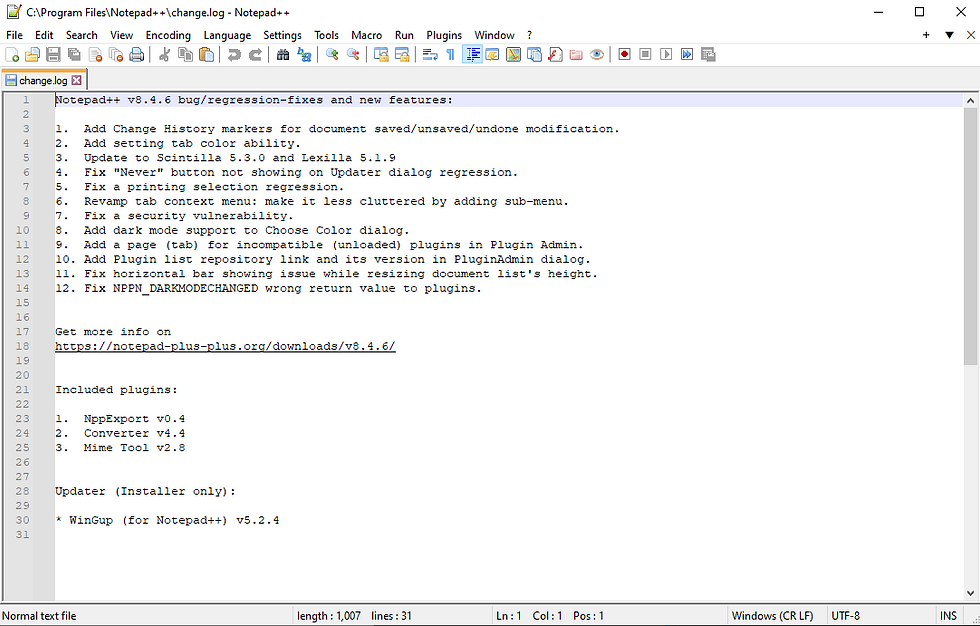
It looks like a lot, but it's also quite simple!
You might see the changelog, you might not. All you need to do is press Ctrl+N to open a new file. Go ahead and close the change log, you won't need it.
Then, go to the "Language" tab at the top, look for the "J" and select "JSON". Now Notepad++ will help you with JSON code.
You can also go to the "Encoding" tab and double check that you're encoding with UTF-8 without BOM, or ANSI.
Depending on what the file is used for, you'll have a few options on the file extension name.
.json, .mcmeta, and .mcfunction are the file extensions you'll be using, but .json is the most common one for the majority of things you'll be making.
When saving your files with Notepad, press Ctrl+S to bring up this menu:
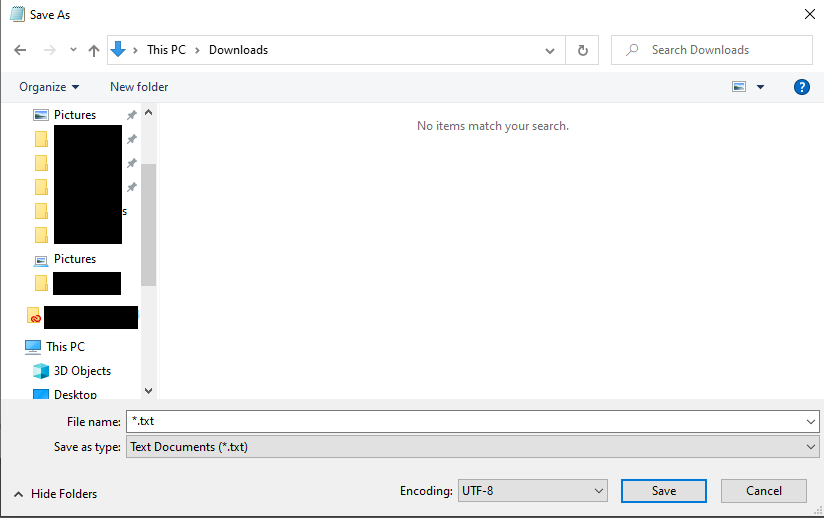
Click "Save as type" and change it to "All Files".
Change the file name to whatever you want to call it. In some cases, you'll have to name it something specific.
Change the ".txt" to ".json, .mcmeta, or .mcfunction".
In each tutorial, I'll tell you which file extension to use and where to put them all.


Comments